
Internet Security - Safari
Safari is a web browser developed by Apple based on the WebKit engine. It comes included in the iOS and is said to be slightly different from other browsers.
Auto-download Updates
Updates for Safari are handled by System Preferences → Software Updatelocated under the Apple menu. Set to Daily updates.
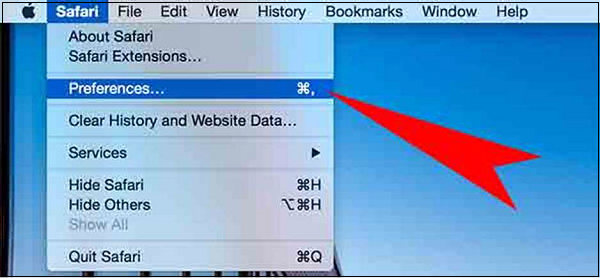
Block Pop-ups
Go to Safari Menu – Preferences – Security tab and make sure the “Block pop-up windows” box is checked.
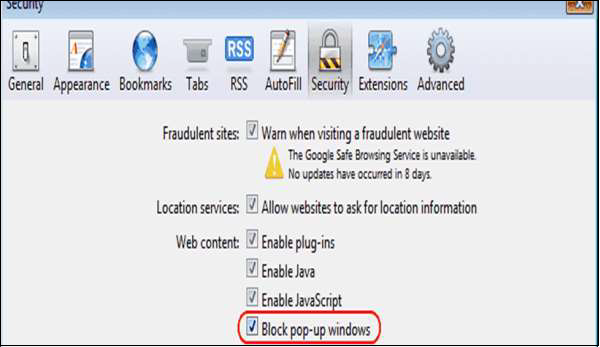
Block Plugins/Phishing
Go to Safari menu → Preferences → Security tab and uncheck the “Enable plug-ins” box.
Delete Passwords
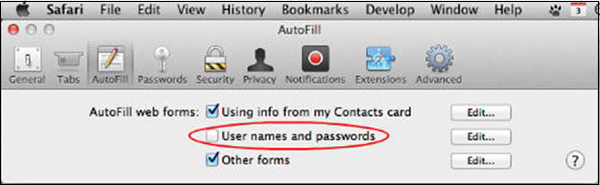
Go to Safari menu → Preferences → AutoFill tab and uncheck the "user names and passwords" box.
Java/JavaScript
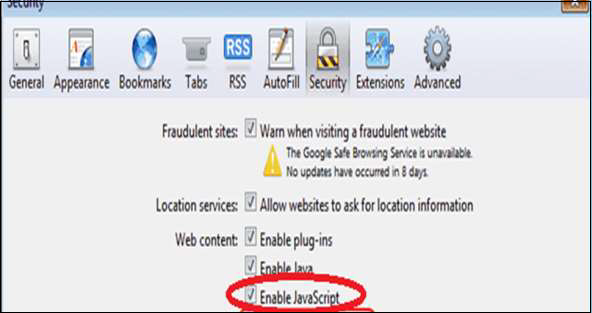
Go to Safari menu → Preferences → “Enable JavaScript” checked.
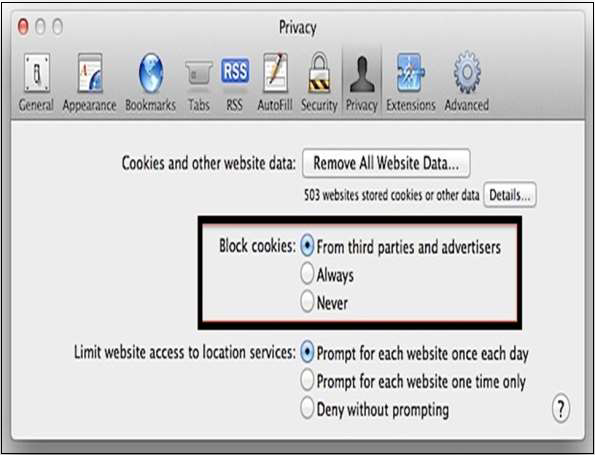
Block Cookies
Go to Safari menu → Preferences → Privacy tab and select “Block cookies: From third parties...”.
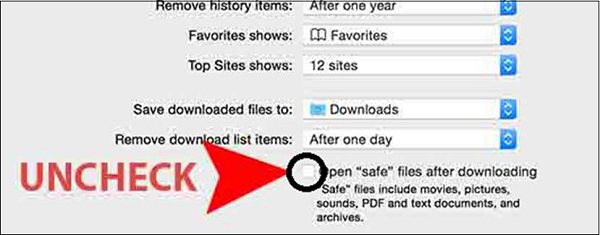
Disable Auto-Open of Open Files
In Safari, you can choose not to open them after downloading, go to the Safari Menu – Preferences – General tab. Uncheck the box that says Open "safe" files...


 Mumbai Academics Is Mumbai’s First Dedicated Professional Training Center For Training With Spoke And Hub Model With Multiple Verticles . The Strong Foundation Of Mumbai Academics Is Laid By Highly Skilled And Trained Professionals, Carrying Mission To Provide Industry Level Input To The Freshers And Highly Skilled And Trained Software Professionals/Other Professional To IT Companies.


No comments:
Post a Comment